
The HUD Mods I Still Rely On in Minecraft After All These Years
Essential Minecraft HUD mods display tool durability, player coordinates, and food saturation values, making survival seamless.
There was a time when I\u2019d frantically press F3 every few minutes just to check my coordinates or durability, my screen flooded with debug text like a chaotic spreadsheet. I\u2019m not exaggerating when I say that those days aged me. Then I discovered a suite of HUD mods that transformed how I play Minecraft\u2014and they\u2019ve been essential ever since. Even in 2026, I can\u2019t imagine navigating the world without them.
I remember the exact moment my diamond pickaxe dissolved into thin air while I was deep in a cave, surrounded by lava and creepers. That panicked scramble for a crafting table was the last straw. Enter the Durability Viewer, a quiet little mod that changed everything.
Durability Viewer
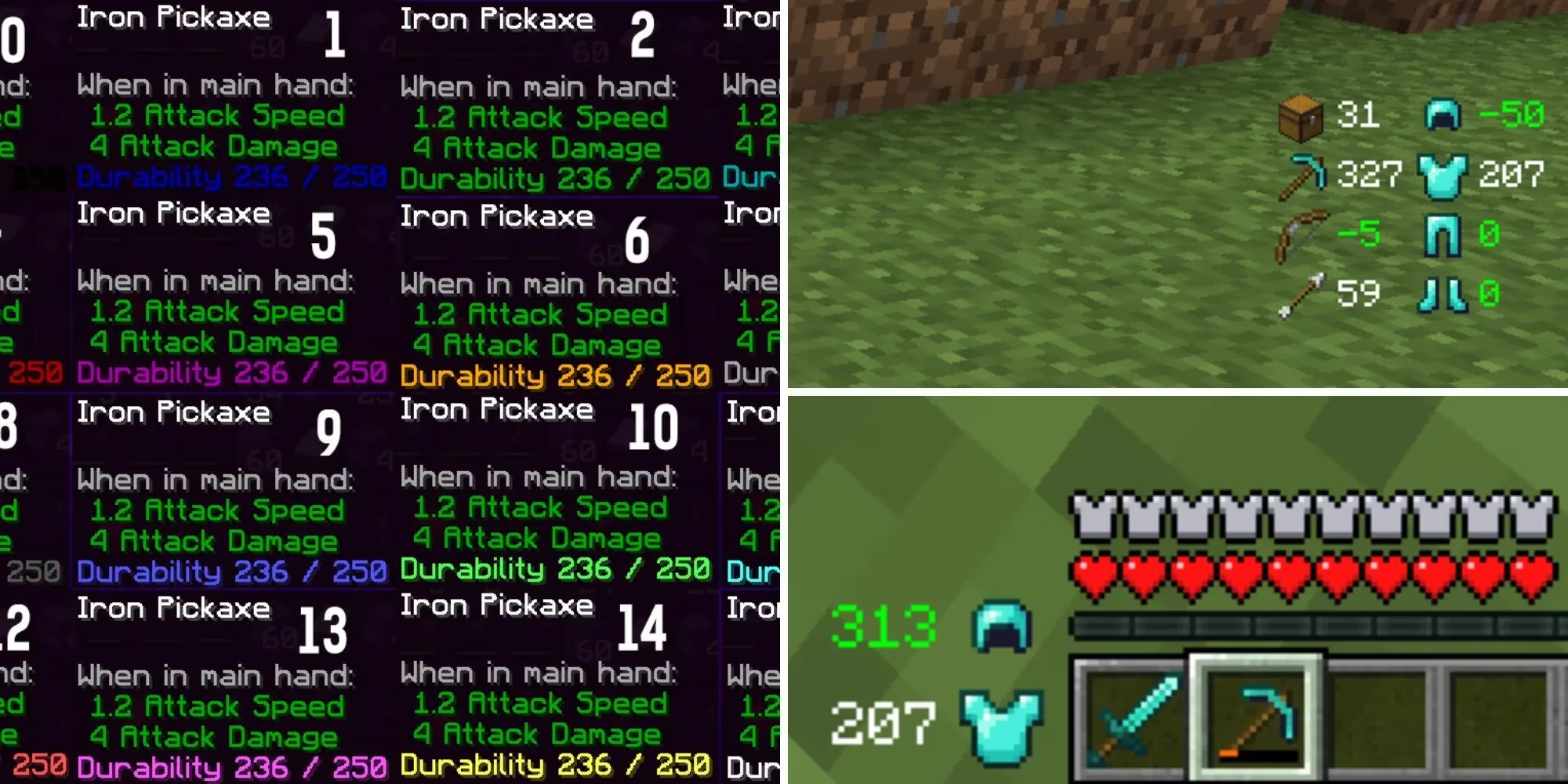
Giselbaer\u2019s creation feels almost psychic. A tiny number floats beside my tool icon, telling me exactly how many blocks I can still break or how many swings remain before my sword gives up. It doesn\u2019t stop there, though. A soft warning chime pings when something dips below 10%, my armor\u2019s remaining strength sits neatly in the corner, and I can see how many free inventory slots I have without ever opening my backpack. It\u2019s the kind of quality-of-life feature that makes vanilla feel incomplete.
But knowing my tool\u2019s lifespan is only half the battle. Where am I, anyway?
Coordinates Display
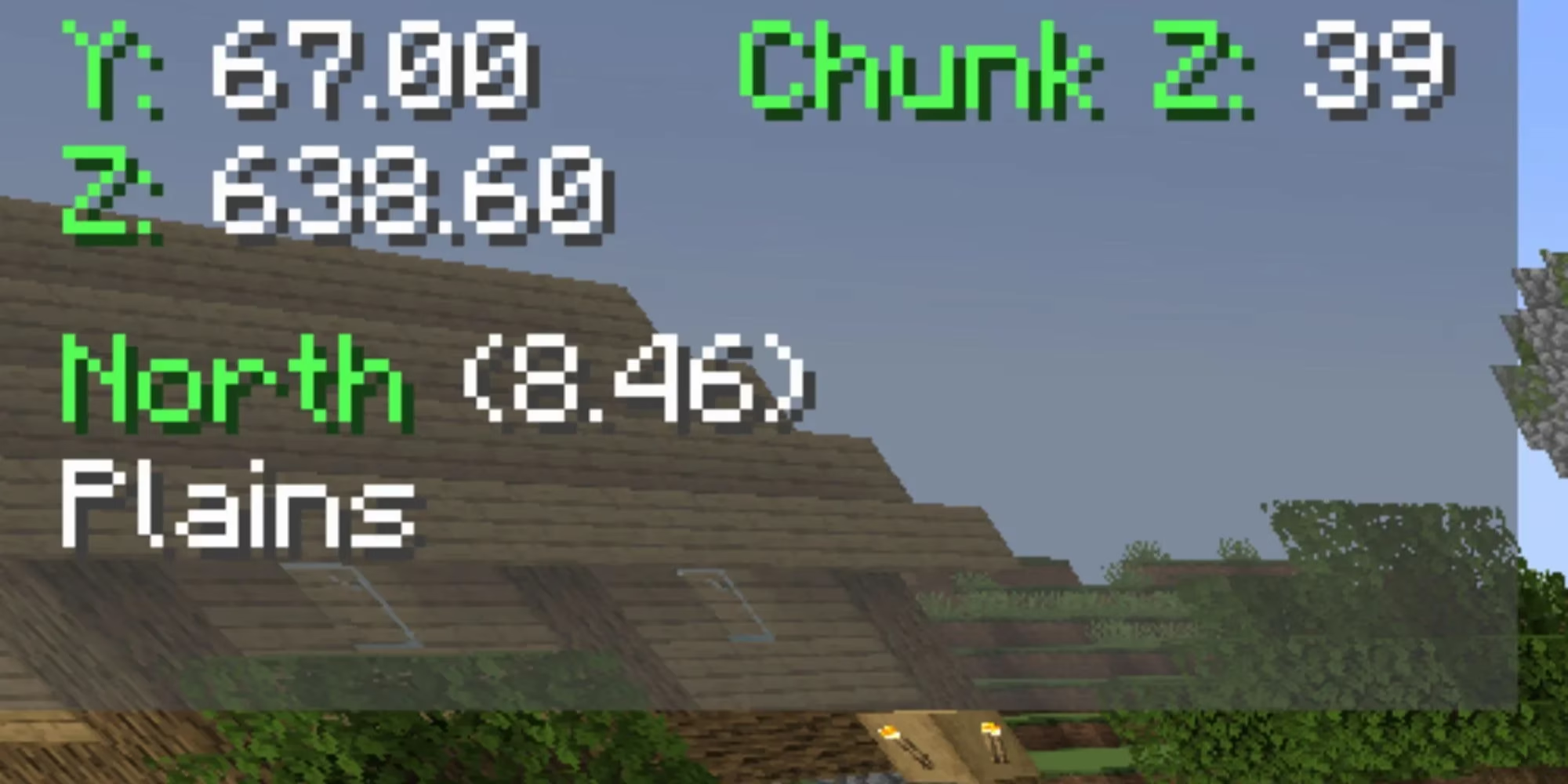
Before boxadactle\u2019s Coordinates Display mod, my F3 muscle memory was so ingrained I\u2019d sometimes open that dense menu even when I didn\u2019t need it\u2014pure reflex. Now my X, Y, and Z sit unobtrusively in the top-left corner, always visible, never intrusive. No more screen-blocking walls of text, no more eye strain from hunting for three numbers in a sea of data. I\u2019ve mapped out entire build projects and nether hub connections with just a glance, and it\u2019s become as natural as looking at my health bar. If you only ever install one HUD mod, make it this one.
Apple Skin
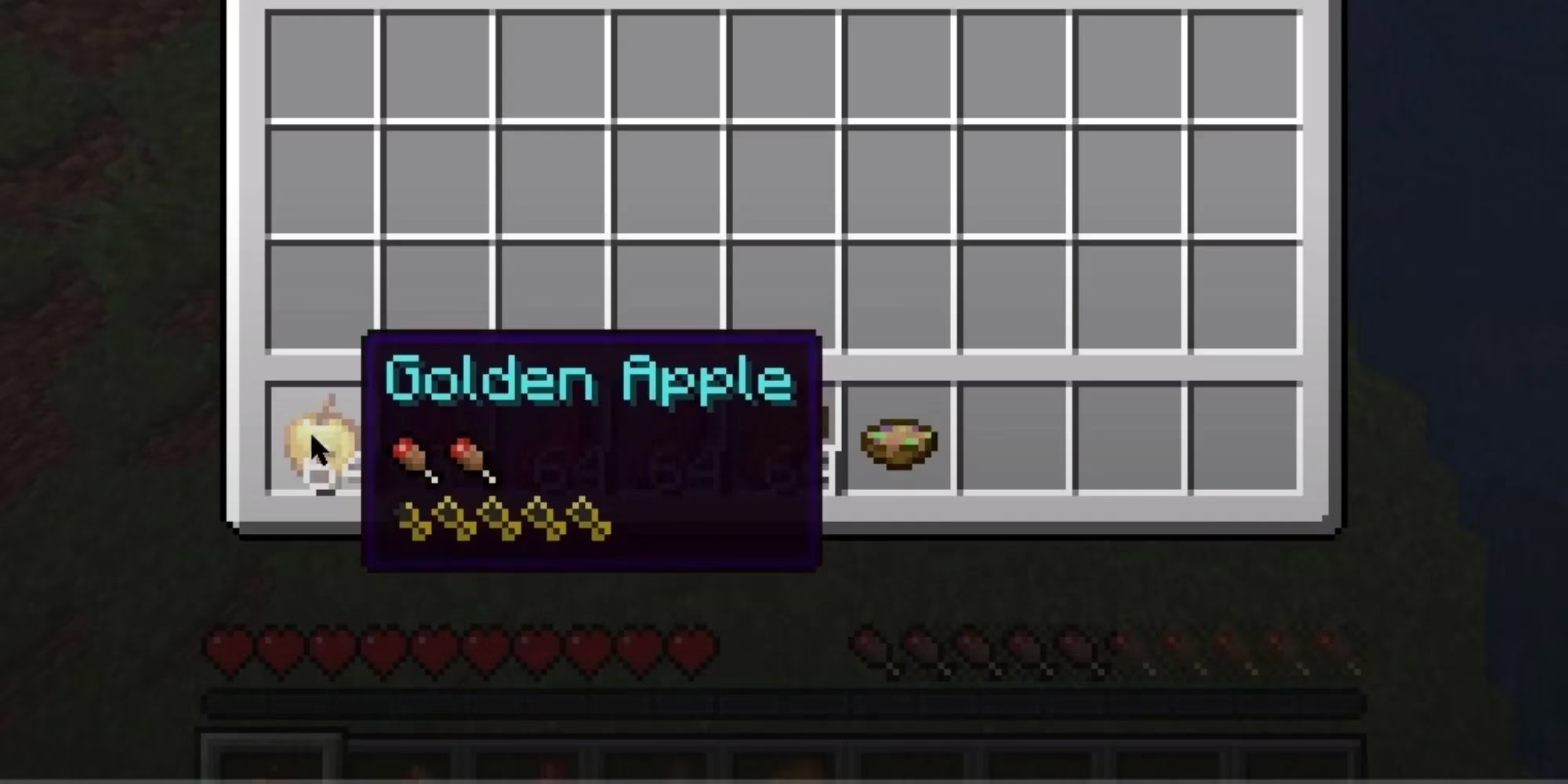
Food in vanilla Minecraft hides a lot of information. Saturation? A mystery number you never see. The exact amount a porkchop heals? You just have to trust it. squeek502\u2019s Apple Skin mod rips the curtain away. When I hold a golden carrot, a gentle flash on my hunger bar shows precisely how many drumsticks and hearts it will restore. Hovering over any edible item in my inventory pops up a tooltip with its saturation value, so I can optimize my meals for long exploration trips. It\u2019s such a simple addition, yet it reshaped how I stock my ender chest before a boss fight.
Inventory HUD+
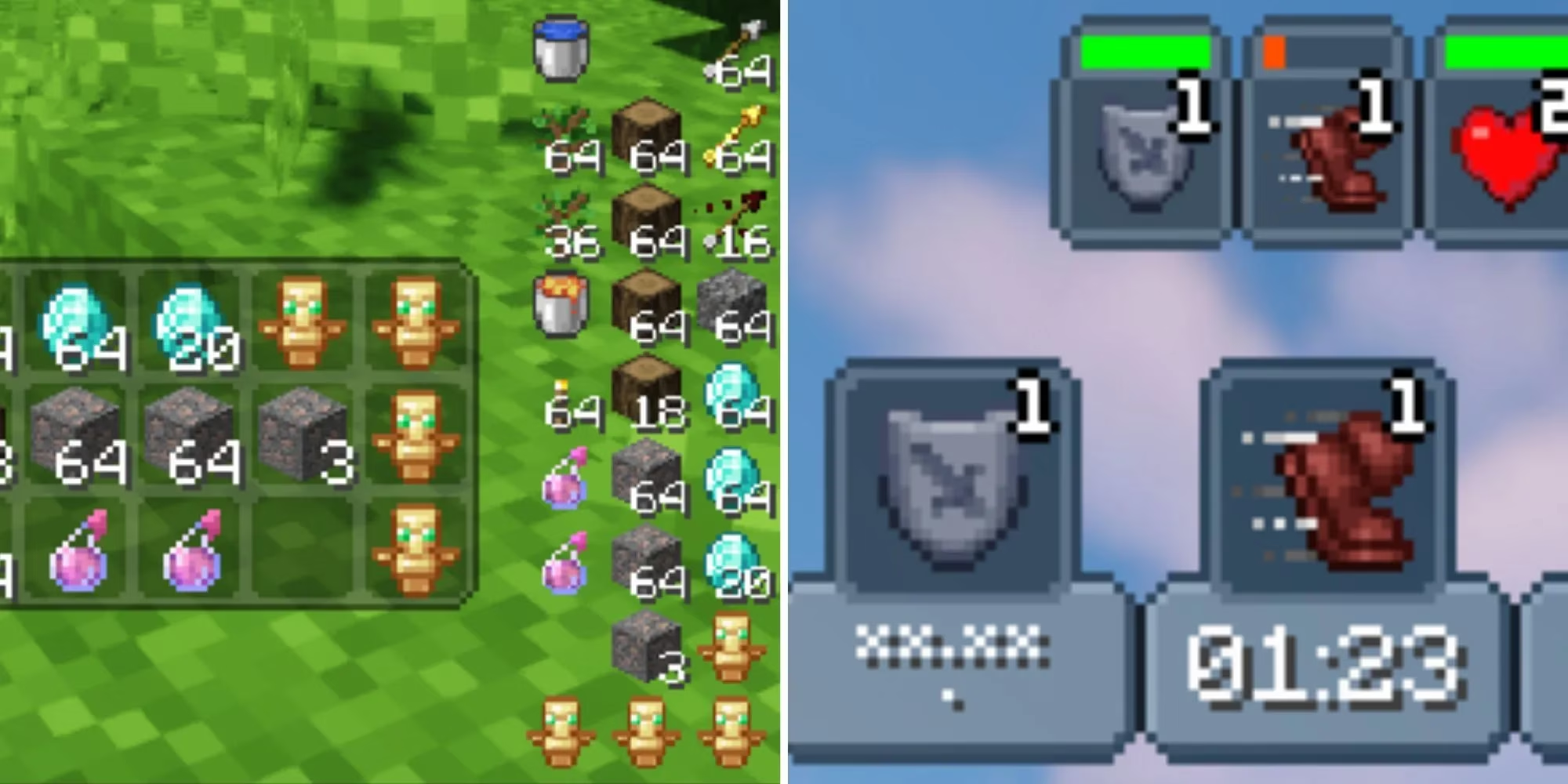
If you\u2019re the type who likes to have all possible information at your fingertips, dmitrylovin\u2019s Inventory HUD+ is your new best friend. I\u2019ve configured mine to show a miniaturized duplicate of my hotbar, active potion effects with countdown timers, and armor durability\u2014all floating elegantly at the sides of my screen. The in-game drag-and-drop config GUI means I can reposition everything on a whim. During a frantic raid, I just glance right to see how many totems I\u2019ve got left, or how long my fire resistance will hold. It\u2019s crowded in the best possible way.
Halo HUD
A wave of nostalgia hit me when I first tried Crendgrim\u2019s Halo HUD. A sleek circular gauge wraps around my crosshair, showing my health, experience points, and hunger in a style ripped straight from Halo 3. I play on a large monitor, and constantly dropping my gaze to the bottom hotbar actually tired out my eyes after long sessions. Now all my vital stats sit right where I\u2019m already looking\u2014in the heat of combat. It doesn\u2019t play that iconic beep when my shield breaks, but it\u2019s close enough to make me smile every time.
Boat HUD
Racing down a packed-ice highway in a wooden boat is pure joy, but I\u2019ve always wondered just how fast I\u2019m actually going. hibiscvs\u2019 Boat HUD feeds that curiosity with a compact overlay above my hotbar. Speed in kilometers per hour, a throttle indicator, even a drift angle feedback\u2014it turns boat travel into a mini racing sim. My friends and I now have competitions to see who can hit the highest speed on our server\u2019s nether ice roads, and this mod is the impartial judge.
Offers HUD
Villager trading is powerful, but right-clicking every single librarian to check their enchanted book offers is a tedious ritual I used to dread. naari3\u2019s Offers HUD changed all that. When I approach a villager, every trade they offer appears instantly on the left side of my screen. I can breeze through a trading hall, glancing at displayed deals without breaking stride. It\u2019s saved me countless hours\u2014time I\u2019ve instead spent actually using those Mending books.
Ride HUD
Finding a perfect horse used to be a guessing game. I\u2019d ride dozens, judging their speed and jump height by \u201cfeel,\u201d which was exhausting and wildly inaccurate. Tre5et\u2019s Ride HUD gives me hard numbers: speed, jump strength, and health, all while I\u2019m mounted. I\u2019ve built a stable of objectively elite horses because of this mod, and I can\u2019t imagine going back to the old trial-and-error method. My character\u2019s spine is grateful, too.
These mods have aged beautifully into 2026, and most are still actively updated to support the latest snapshots. They\u2019re not just conveniences; they\u2019ve fundamentally reshaped how I experience Minecraft, turning guesswork into clarity and frustration into flow. If you\u2019re still squinting at the F3 menu or estimating durability by instinct, do yourself a favor\u2014your future self will thank you.